
Question in Detail:
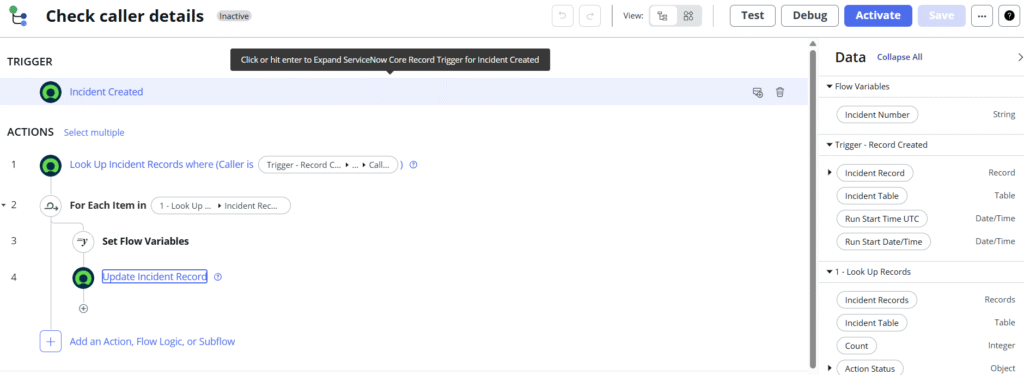
If a new incident record is created then flow will check previously caller has any incidents then populate that caller incidents numbers in description field.
Procedure:
First create new Flow designer flow
Name: Check Caller Details
In Trigger area set
trigger : created
Table: Incident
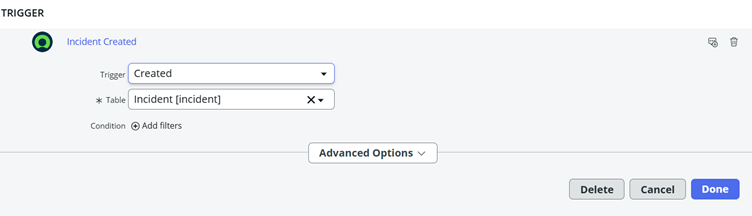
Click on done.
Now Go to Actions area
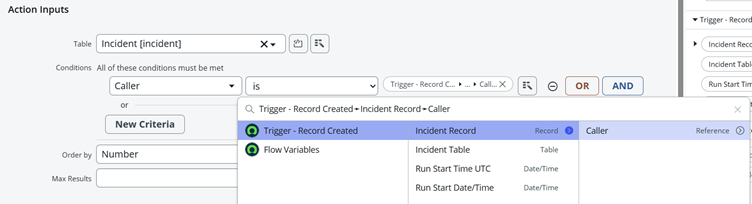
Action: lookup records
Table : Incident
Condition : caller is Trigger-record created ->incident Record ->caller
Now select For each item in flow logic
Items: 1-Lookup Records->incident Records

Now click on done.
Now create Flow variable
Name: incident number
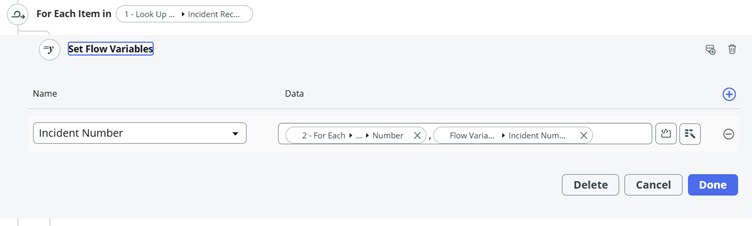
Now Select set flow variables in flow logic
Incident Number = Foreach >incident Record>Number, Flow variables>Incident Number
Now Click on done.
Now Select Update Record Action
Record= Trigger -Record Created >Incident Record
Table : Incident
Description : Flow Variables>Incident Number
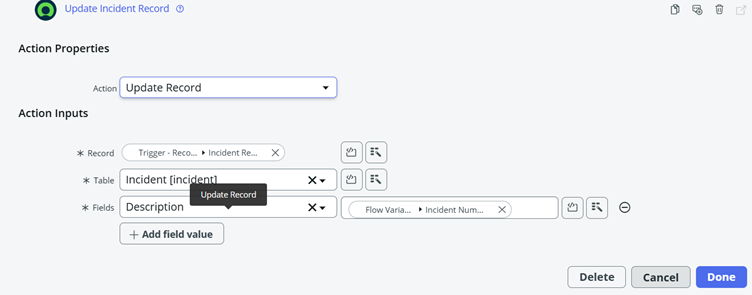
Now Click on done.
Now your flow is ready and test or debug it. If tests are passed publish the Flow
Regards,
Beemani Shiva Prasad
Varshitha Education